Seiring berkembangnya virus komputer canggih khususnya pada lingkungan Windows, virus Ramnit menjadi salah satu virus yang sulit dalam pembersihannya. Perlahan tapi pasti saat ini sudah banyak tools atau aplikasi khusus untuk membereskan virus bandel seperti Ramnit. Memang benar seperti pepatah, mencegah lebih baik daripada mengobati. Untuk pencegahan dapat dilakukan dengan cara-cara berikut atau pada link ini. Namun bila komputer sudah terinfeksi virus ini bisa dibuatnya pusing, tapi saat ini dengan bantuan aplikasi khusus pembersih Ramnit maka akan sangat membantu dan memudahkan kita menuntaskan dan mengembalikan file-file yang terinfeksi menjadi seperti semula.
Dengan bantuan aplikasi khusus yang digarap oleh Vaksincom, Anda dapat membuat komputer kebal Ramnit meskipun sistem operasi belum dipatch dari celah keamanan yang di ekspolitasi oleh Ramnit.
Namun ada satu hal yang menjengkelkan dari Ramnit, yakni menyangkut web server yang mengandung file htm atau html. Seperti kita ketahui, salah satu metode penyebaran Ramnit adalah menginjeksi file htm / html yang bertujuan menyebarkan dirinya melalui file yang dibuka oleh browser komputer korbannya.
Jadi jika ia berhasil menginjeksi webserver, maka siapapun yang mengakses webserver tersebut akan bisa terinfeksi dengan hanya membuka file htm / html di webserver tersebut. Lebih kasihan lagi jika Anda webmaster atau webdesigner yang banyak sekali berurusan dengan file htm atau html.
Sekali komputer /server terinfeksi Ramnit maka semua file htm dan html akan di injeksi oleh Ramnit dan kabar buruknya adalah sampai saat ini semua program antivirus akan menghapus atau paling tidak mengkarantina file tersebut.
Padahal sebenarnya file htm dan html tersebut masih bisa dibersihkan sehingga tidak perlu memulai dari awal lagi. Sekali lagi Vaksincom bekerjasama dengan programmer asal Jogja, Yayat membuatkan tools bertajuk Chanet Splitter II untuk menyelamatkan file htm dan html yang bisa diunduh secara gratis pada melalui situs vaksincom.
Berikut beberapa kelebihan yang dimiliki oleh CHANET SPLITTER II adalah :
1.Gratis
2.Mampu mencari dan mematikan proses Ramnit yang aktif di memori secara otomatis pada saat CHANET SPLITTER di jalankan
3.Mampu memperbaiki registri yang diubah oleh virus
4.Mampu menghapus file induk Ramnit
5.Proteksi PC agar kebal dari Ramnit
6.Proteksi agar Ramnit tidak membuat file virus ke USB Flash
7.Mencari dan memperbaiki file HTM/HTML yang terinfeksi Ramnit
Catatan:
1.Putuskan hubungan komputer dari jaringan guna mencegah infeksi ulang.
2.Jika komputer anda masih terinfeksi Ramnit, gunakan terlebih dahulu Norman Ramnit Cleaner untuk menghentikan semua proses Ramnit yang aktif di komputer anda dan membersihkan file .exe dan .dll yang di injeksi Ramnit. Kemudian scan Full HDD termasuk Removable Media (USB Flash/HDD Eksternal) dengan menggunakan antivirus yang terupdate untuk membersihkan file EXE/DLL yang sudah terinfeksi.
3.Gunakan tools Chanet Splitter II jika anda ingin membuat komputer anda kebal dari Ramnit dengan satu tombol. Selain dapat memperbaiki file HTM/HTML, Chanet Splitter II juga mempunyai kemampuan untuk proteksi agar komputer kebal dari virus Ramnit.
4.Tools yang Kami sertakan ini HANYA digunakan untuk memperbaiki file HTM/HTML yang telah terinfeksi Ramnit saja. Untuk membersihkan file EXE/DLL yang sudah terinfeksi Ramnit silahkan gunakan Norman Ramnit Cleaner.
5.Sangat disarankan untuk instal security patch Windows (MS10-046 KB2286198)
sumber: detikinet

Showing posts with label Security Komputer. Show all posts
Showing posts with label Security Komputer. Show all posts

Alternatif Software Pengganti DeepFreeze | Free Download

Dengan kemampuan virtual ini, setiap perubahan yang terjadi pada komputer akan dikembalikan pada titik tertentu yang telah ditetapkan pengguna saat dihidupkan ulang (restart). Program ini juga dapat mengecualikan berbagai folder dan aplikasi tertentu yang tidak termasuk dalam kategori virtual, misalnya folder yang berisi berkas kerja ataupun program permainan (game) yang diizinkan untuk bersifat dinamis.
Berikut ini beberapa pilihan software alternatif sejenis DeepFreeze yang bisa Anda coba :
1. Returnil Virtual System (RVS)
Free Download now
2. Shadow Defender
Trial Download here
3. Clean Slate
Trial Download disini
4. Buffer Zone Pro
Download now for free
5. Wondershare Time Freeze
Free trial Download
incoming search:
cara hack deep freeze
cara menjebol deepfreeze
download deepfreeze terbaru
jebol deepfreeze versi 6
hack deep freeze versi 7
tools untuk jebol deepfreeze
anti deep freeze terbaru
download undeepfreeze
hack deepfreeze dengan unfreezer
tool to bypass deep freeze
cara menggunakan deep freeze
lupa password deep freeze
aplikasi selain deepfreeze
alternatif deep freeze
aplikasi alternatif deep freeze
deep freeze crack
cara setting deep freeze
program selain deepfreeze
setting deep freeze warnet
download crack deep freeze
cara mengembalikan icon deepfreeze
menyembunyikan icon deep freeze
yang lebih baik dari deep freeze
menonaktifkan deep freeze
cara uninstall deep freeze
alternatif deep freeze yang ringan
serial keygen deepfreeze
patch terbaru deep freeze enterprise
bobol deep freeze
cara menghapus deepfreeze
Cara Menyembunyikan Drive | How to Hide Windows Partition or Drive

Catatan: Backup dahulu registry Anda karena kami tidak bertanggung jawab bila terjadi error (kesalahan).
Editing the registry to hide the Windows drive
Penjelasan Pertama
In order to hide a drive/partition inside Windows, you can always edit the Registry. Although is not as comfortable as the method presented above, you can do it in a matter of minutes.
Go to Start -> Run and type Regedit to start the registry editor. Now you need to follow a specific key which must be edited:
HKEY_CURRENT_USER / Software / Microsoft / Windows / CurrentVersion / Policies / Explorer

Right click in the right panel and select New->DWORD value. Name it NoDrives. You will immediately observe that this new DWORD value got its data something like this: 0x00000000. The 0x in the front of the value means the number is stored hexadecimal (base 16). There are four sets of double 0. This means that every set has its representations as follows (from right to left) :
- first set: drive letters from A to H
- second set: I to P
- third set: Q to X
- fourth set: Y to Z

The value number for the each drive is:
1 for A I Q Y, 2 for B J R Z, 4 for K C S, 8 for D L T, 16 for E M U, 32 for F N V, 64 for G O V and 80 for H P X.
Now focus on the information I provided you with above. If you want to hide partition E:, you should edit the NoDrives value as follows: E: corresponds to the first set of double 00 and the value for E is 16. Therefore, replace the first (rightmost) double 00 with 10 (the hexadecimal representation of the number 16).
sumber: softpedia.com
Penjelasan Kedua
In the Registry navigate to HKEY__USER\Software\Microsoft\Windows\CurrentVersion\Policies\Explorer. Right-click on Explorer and choose New and DWORD value. In the pane on the right, rename the new value NoDrives and double-click on it to open the Edit DWORD Value box. Click the Decimal option to select it, instead of the Hexidecimal option.
Now for the complicated part. To hide a drive or drives, a number that corresponds to the drive(s) must be entered. Enter the value listed below for the drive. If multiple drives are to be hidden, add the numbers for those drives together. For example, hiding drives D and E requires a value of 24, because you are adding the value for D (8) to the value for E (16), which equals 24.
A: 1
B: 2
C: 4
D: 8
E: 16
F: 32
G: 64
H: 128
I: 256
J: 512
K: 1024
L: 2048
M: 4096
N: 8192
O: 16384
P: 32768
Q: 65536
R: 131072
S: 262144
T: 524288
U: 1048576
V: 2097152
W: 4194304
X: 8388608
Y: 16777216
Z: 33554432
All: 67108863
The boot disk, usually the C drive, tends to show up in Explorer even if you hide it in My Computer. To bring back hidden disks, just change the value of NoDrives to 0 or delete the value altogether.
sumber: mindconnection.com
Menjadi "Pembunuh" Virus Komputer

Berikut ini langkah-langkah untuk menjadi "pembunuh sadis" virus-virus bandel di PC/laptop Anda ( lebay bahasanya :D ) tanpa instal ulang Windows. Cara ini khususnya untuk membantai virus Sality, Alman, Virut (virus-virus yang menyerang file aplikasi seperti .exe, .scr, .com).
1) Pada PC terinfeksi, scan dengan antivirus portabel versi baru (update terbaru) melalui flashdisk Anda, misalnya Morphost, Smadav, dan jangan lupa ubah ekstensinya menjadi .cmd
2) Proses scanning akan mendeteksi dan mencoba meng-clean keberadaan virus yang menghuni komputer. Namun pembersihan oleh antivirus itu belum tuntas. Ingat dan catat virus apa saja yg terdeteksi.
3) Pada PC lain yang bersih dari virus, download-lah virus-cleaner khusus untuk jenis (varian) virus yang terdeteksi tadi, bisa dicari disini.
4) Ekstak file (zip) hasil download tersebut lalu ubah ekstensinya menjadi .cmd, lalu copy ke Flashdisk Anda
5) Jalankan virus-killer tersebut pada PC yang terinfeksi, tunggu hingga proces 'cured' selesai.
6) Instal antivirus luar terbaru dan jangan lupa di-update. Lakukan scan ulang untuk memastikan komputer Anda sudah bebas dari virus.
Catatan :
1. Bila dampak dari infeksi virus sudah sangat merusak, disarankan untuk mem-format dan meng-install ulang komputer.
2. Cara ini tidak berlaku bila virus mem-blok fungsi (drive) flashdisk seperti yang dilakukan oleh virus Ramnit. Silakan ikuti petunjuk dari link ini untuk membersihkan virus tersebut.
Selamat mencoba...
Incoming search:
mengatasi virus sality kido tanatos virut alman shortcut ramnit
menghilangkan virus sality kuku joker tanatos virut alman shortcut ramnit
cara membasmi virus sality conficker tanatos virut alman shortcut ramnit
anti virus sality kuku joker tanatos virut alman shortcut ramnit
win32 sality conficker tanatos virut alman shortcut ramnit
how to cure sality tanatos virut alman shortcut ramnit
download antivirus sality kuku joker tanatos virut alman shortcut ramnit
cara menghapus sality shortcut conficker tanatos virut alman ramnit
cara membersihkan sality shortcut kuku joker tanatos virut alman ramnit
download tool gratis sality shortcut tanatos virut alman ramnit
download antivirus gratis sality conficker tanatos virut alman ramnit
download remover sality shortcut kuku joker tanatos virut alman ramnit
cleaner untuk sality shortcut tanatos virut alman ramnit
mengatasi virus jaringan bandel
menghilangkan virus canggih
cara membasmi virus aplikasi program
anti virus bagus untuk jaringan
virus jaringan bandel
virus exe com scr
how to cure documents virus
download antivirus jaringan
cara menghapus virus mp3
cara membersihkan virus gambar jpg bmp gif
download tool gratis antivirus
download antivirus gratis untuk trojan rootkit
download remover virus data doc docx xls xlsx
cleaner malware network
update antivirus portabel
membersihkan virus tanpa instal ulang
tips menghilangkan sality tanpa install ulang
virus windows yang membandel
tips aman dari virus komputer
Free Cloud-Based Antivirus Untuk PC Anda

1. Panda Cloud Antivirus
Panda cloud adalah antivirus pertama yang mengadopsi teknologi cloud computing. Silakan kunjungi website Panda Cloud untuk download.
Fitur Panda Cloud:
-Antivirus & Antispyware protection from the cloud
-Anti-Rootkits against hidden threats
-Online & Offline permanent protection
-Improved offline protection by disabling Autorun on your PC
-Behavioral blocking of new & unknown threats
-Advanced configuration and exclusion for experts
-Automatic & transparent upgrades of new engine and program versions
-URL and Web filtering of malicious, drive-by exploits and phising sites
2. Kingsoft Antivirus
Kingsoft cloud is a free Cloud-based Antivirus, download here
What is Cloud Antivirus?
Cloud is our name for remote server. Cloud-Base Antivirus allows you to scan your computer files over the Internet. Traditional antivirus software requires users to download hefty virus storage files to their system. With Cloud Security Solution, all virus information is stored on our Cloud remote server. We are able to scan your computer files for viruses and remove them via the Internet. Thus, your home system's activity is not interrupted or slowed.
Cloud Antivirus Has the Following Advantages?
Cloud antivirus run faster than traditional antivirus products.
Update without user’s intervention – always stay up-to-date!
Access your account from anywhere in the world.
Reduces bandwidth consumption (as our armies of workstations are looking for updates instead of your one)
Cloud Scan, Permanently Free
By Applying Cloud Security technology, Kingsoft Free Antivirus provides effective and efficient protection solutions with faster operation and lower CPU utilization. Our free cloud antivirus software detects emerging threats and removes hidden threats from your computer quickly. The comprehensive defender ensures your computer's security from any potential risk. It also provides you with several convenient tools, such as USB Device Protection, IM Protection, Disk Cleaner, History Cleaner, LSP Repair and so on.
Why Download Kingsoft Free Antivirus?
Our Free Cloud Antivirus is permanent free for PC users; It is green software with no advertisements or plug-ins.
Enjoy real-time prevention and advanced protection for your PC.
Permanently free and steady antivirus software.
Protection against attacks from worms, Trojans, pyware, malware and unnamed viruses
Automatic scan or demanded scans, which quickly cleans infected data
Defends E-mail & MSN clients, and monitors webpages while you are surfing the Internet.
antivirus freeware, cloud antivirus free.
Free Antivirus Key Features
• Lower CPU utilization and thus faster PC operation.
• Complete compatibility with Windows operating systems.
• Free antivirus, onvenient, Effective, Efficient, and User Friendly!
• Monitor downloads with tools and block attacks from the Internet.
• Monitor and scan transferred files from MSN and other messengers.
Protect against viruses and other threats to your computer
* Viruses, Trojans, worms and other malware, spyware and adware
* Rootkits, bootkits and other complex threats, Identity theft by key loggers
* Botnets and various illegal methods of hijacking your PC
* Zero-day attacks and unknown threats, Drive-by download infections
Free Cloud Antivirus Backup Virus Definitions
Your computer is protected even when working offline. Cloud Antivirus monitors and processes viruses stored on our Cloud servers, on a database we call Backup Virus Definitions. Your computer is secured at any time.
3. Immunet
Kunjungi website Immunet disini
Deskripsi Immunet:
Immunet Protect gives you a fast, extra layer of protection that won't slow down your PC. Compatible with existing antivirus.
-Fast Antivirus: Immunet leverages the speed of cloud computing to deliver real-time protection to your PC.
-Light Antivirus: Immunet is up to 35 times lighter than traditional antivirus solutions.
-Real-time Antivirus: Immunet provides cloud-based protection that is always up-to-date against viruses, spyware, bots, worms, trojans, and keyloggers without slowing down your PC. No need to download any virus signature files.
-Companion Antivirus: Immunet is compatible with existing antivirus products to help protect you better. Add an extra, lightweight layer of protection for free.
-Community Antivirus: Immunet's Collective Immunity™ technology protects all users the instant that a virus is detected on one PC.
Cara install Immunet:
Step 1: Download and install Immunet Protect
Click here to start downloading Immunet Protect, if it hasn't already started. Launch ImmunetSetup.exe when it's finished downloading.
Step 2: Register with Immunet
Once you have installed Immunet Protect, register with Immunet to join the global Immunet Community.
Step 3. Add People to the Immunet Community
Protect the people you care about by inviting your closest contacts to install Immunet and become a part of your community. People you invite who install Immunet Protect will appear in your "My Community" screen and you will be able to see their protection status and know they are safe from viruses.
4. Comodo Cloud Scanner
Download dari situsnya disini.
What is Comodo Cloud Scanner?
Comodo Cloud Scanner (CCS) is an easy to use tool that quickly and accurately identifies malware, viruses, suspicious processes and other problems with your computer. It harnesses all the scanning power of Comodo Internet Security and Comodo System-Cleaner and packages them inside a lightweight and sleek desktop interface. What's more, instead of using your computers processing power to run a scan, CCS connects to Comodo's powerful online servers and gets them to do all the hard work instead. Put simply, there's never been an easier or more accurate way to diagnose potential problems on your PC.
Comodo Cloud Scanner 2.0 Features :
New Features:
-Deeper scan in special folders (Windows and Program Files) for malware, from Malware & Suspicious section.
-Custom Scan. Just by right clicking on your directories or process files, Windows Shell starts scanning for malware and suspicious files.
Improvements:
-Cloud scanning. Using our latest cloud technology to scan your computer with Comodo online services and tools. -Cloud Scanner makes a real-time connection to Comodo's online database and it detects the very latest malware.
Hidden processes detection. Our tool detects processes that are hidden and could be dangerous to your system.
-Fastest scanning engine. We use one of the fastest scanning engine, 30% faster than the previous one.
-Detect junk files. Over time your disk becomes occupied by temporary internet files, unused icons and duplicate files.
Netcut untuk Mengontrol Jaringan
Anda mungkin sudah tidak asing dengan yang namanya NetCut. Begitu ampuhnya software ini dalam mematikan aliran bandwidth internet di jaringan. Sedikit info bagi yang belum tahu apa itu Netcut dan cara pencegahannya.
Netcut – adalah software yang membantu Admin jaringan yang berfungsi memutuskan koneksi internet di komputer client manapun di LAN (Local Area Network) tanpa perlu menginstall di sisi client, termasuk memutuskan perangkat seperti router, switcher. Apabila anda seorang admin maka program ini sangat diperlukan sebagai antisipasi kalau ada koneksi lain yang masuk ke jaringan anda. Apabila anda mengelola sebuah Hotspot (Free) tanpa menggunakan Mikrotik atau proteksi lainnya dan untuk syarat koneksi ke hotspot tersebut secara gratis maka program ini sangat dibutuhkan. Untuk menangkal koneksi–koneksi yang nota bene menganggu jaringan koneksi internet anda. Tanpa menganggu pengguna internet yang lainnya.
Adapun bila Netcut berada disisi client/user, bisa saja PC server yang di 'cut' olehnya. Karenanya komputer admin (server) dapat mengantisipasi serangan ARP poisoning/spoofing/paket sniffer ini menggunakan Anti ARP atau Anti Netcut dan sejenisnya. Anti ARP juga dapat memblokir serangan virus yang memanfaatkan protokol ARP.
Cara kerja netcut 2.0 (pada saat tulisan ini dibuat sudah versi 3):
1. NetCut menjadikan laptop/komputernya sebagai gateway. Jadi dia bebas mengatur siapa yang masuk, dan siapa yang perlu ditendang keluar.
2. Bekerja berdasarkan ARP (Address Resolution Protocol) Spoofing.
Cara menggunakan Netcut:
1. Sangat mudah anda tinggal download di NetCut 2.0
2. Install di komputer > Jalankan softwarenya
3. Tinggal pilih IP/Hostname/Mac Address client yang ingin diputuskan koneksinya dan mengklik cut off.
4. User tersebut akan langsung terputus koneksinya dari server sampai anda membebaskannya atau dengan mengklik Resume atau dia mengganti IP address nya sendiri.
Cara mengatasi netcut:
1. Cek ARP untuk mengetahui apakah ada orang yang memakai netcut.
Start menu > run > ketik "cmd" atau command prompt > ketik lagi "arp -a" untuk melihat IP router. Kalau ada lebih dari satu ip router, pertimbangkan niat ber online. Atau lapor saja ke admin tentang hal ini.
Solusi : Bisa install program Anti ARP dan jalankan sebelum online. Biar lebih aman.
2. Bisa juga memakai program seperti "Anti Netcut", saya yakin program ini akan bekerja.
Demikian penjelasan singkat mengenai cara kerja netcut dan cara mencegah netcut. Semoga bermanfaat bagi anda. Let’s Try
sumber: solusiwireless.com
Netcut – adalah software yang membantu Admin jaringan yang berfungsi memutuskan koneksi internet di komputer client manapun di LAN (Local Area Network) tanpa perlu menginstall di sisi client, termasuk memutuskan perangkat seperti router, switcher. Apabila anda seorang admin maka program ini sangat diperlukan sebagai antisipasi kalau ada koneksi lain yang masuk ke jaringan anda. Apabila anda mengelola sebuah Hotspot (Free) tanpa menggunakan Mikrotik atau proteksi lainnya dan untuk syarat koneksi ke hotspot tersebut secara gratis maka program ini sangat dibutuhkan. Untuk menangkal koneksi–koneksi yang nota bene menganggu jaringan koneksi internet anda. Tanpa menganggu pengguna internet yang lainnya.
Adapun bila Netcut berada disisi client/user, bisa saja PC server yang di 'cut' olehnya. Karenanya komputer admin (server) dapat mengantisipasi serangan ARP poisoning/spoofing/paket sniffer ini menggunakan Anti ARP atau Anti Netcut dan sejenisnya. Anti ARP juga dapat memblokir serangan virus yang memanfaatkan protokol ARP.
Cara kerja netcut 2.0 (pada saat tulisan ini dibuat sudah versi 3):
1. NetCut menjadikan laptop/komputernya sebagai gateway. Jadi dia bebas mengatur siapa yang masuk, dan siapa yang perlu ditendang keluar.
2. Bekerja berdasarkan ARP (Address Resolution Protocol) Spoofing.
Cara menggunakan Netcut:
1. Sangat mudah anda tinggal download di NetCut 2.0
2. Install di komputer > Jalankan softwarenya
3. Tinggal pilih IP/Hostname/Mac Address client yang ingin diputuskan koneksinya dan mengklik cut off.
4. User tersebut akan langsung terputus koneksinya dari server sampai anda membebaskannya atau dengan mengklik Resume atau dia mengganti IP address nya sendiri.
Cara mengatasi netcut:
1. Cek ARP untuk mengetahui apakah ada orang yang memakai netcut.
Start menu > run > ketik "cmd" atau command prompt > ketik lagi "arp -a" untuk melihat IP router. Kalau ada lebih dari satu ip router, pertimbangkan niat ber online. Atau lapor saja ke admin tentang hal ini.
Solusi : Bisa install program Anti ARP dan jalankan sebelum online. Biar lebih aman.
2. Bisa juga memakai program seperti "Anti Netcut", saya yakin program ini akan bekerja.
Demikian penjelasan singkat mengenai cara kerja netcut dan cara mencegah netcut. Semoga bermanfaat bagi anda. Let’s Try
sumber: solusiwireless.com
Cara Menghindari dan Mendeteksi Keylogger
Keylogger adalah aplikasi mata-mata (spyware) yang dapat merekam aktifitas keyboard dan meng-capture tampilan layar yang sedang aktif. Biasanya keylogger digunakan untuk mengetahui username dan password korbannya secara diam-diam dan mengirimkan data tersebut ke email si pemasang keylogger. Dasar maling cyber!!! :D
Untuk mendeteksi aktifitas keylogger di PC Anda dapat menggunakan software gratis KL-Detector versi terbaru. Informasi lebih lanjut silahkan klik disini.
Atau Anda bisa mencegah keylogger merekam password dengan bantuan program kecil bernama Mouse Only Keyboard.
Berikut ini deskripsi Mouse Only Keyboard :
To avoid key loggers you can enter the password using only the mouse. This method protects you even against hardware keyloggers, or other keyloggers not supported by MyPlanetSoft Anti Keylogger. When the program is started, MOK deactivates all system-wide clipboard viewers, so you can safely copy passwords around different applications. Fully customizable keyboard. No installation required.
Download Free Mouse Only Keyboard versi terbaru disini
Juga tersedia Anti-keyloggernya disini
The world's smallest fully functional anti keylogger. Deactivates all system-wide hook-based keyloggers. Absolutely free. Ideal for use in any public environment such as internet cafes. No installation required, just download, unzip and run. Serves also as anti clipboard logger.
Untuk mendeteksi aktifitas keylogger di PC Anda dapat menggunakan software gratis KL-Detector versi terbaru. Informasi lebih lanjut silahkan klik disini.
Atau Anda bisa mencegah keylogger merekam password dengan bantuan program kecil bernama Mouse Only Keyboard.
Berikut ini deskripsi Mouse Only Keyboard :
To avoid key loggers you can enter the password using only the mouse. This method protects you even against hardware keyloggers, or other keyloggers not supported by MyPlanetSoft Anti Keylogger. When the program is started, MOK deactivates all system-wide clipboard viewers, so you can safely copy passwords around different applications. Fully customizable keyboard. No installation required.
Download Free Mouse Only Keyboard versi terbaru disini
Juga tersedia Anti-keyloggernya disini
The world's smallest fully functional anti keylogger. Deactivates all system-wide hook-based keyloggers. Absolutely free. Ideal for use in any public environment such as internet cafes. No installation required, just download, unzip and run. Serves also as anti clipboard logger.
Mencegah Infeksi dan Penyebaran Virus Komputer di Jaringan
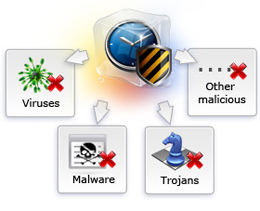
Tips Pencegahan Virus secara Umum:
Walaupun sudah dibersihkan tetapi virus/worm/malware/trojan masih mudah masuk dikarenakan beberapa faktor sebagai berikut :
- Autoplay/Autorun Windows
Lakukan pencegahan dengan men-disable fungsi autoplay. Fungsi ini memudahkan virus untuk masuk dan menginfeksi komputer.
- Default Share Windows
Fungsi ini memudahkan virus/worm berusaha masuk melalui jaringan dengan mudah. Matikan fungsi ini jika tidak diperlukan. Sebagai alternatif jika masih diperlukan gunakan password komputer (baik lokal maupun jaringan) yang unik dan tidak standar/biasa serta kombinasi angka dan huruf. Serta hindari Full Sharing folder anda di jaringan.
- Patch Windows
Selalu rajin patch windows. Hal ini akan mencegah dari serangan virus saat koneksi internet. Akan lebih baik jika meng-aktifkan Automatic Updates.
- Install Antivirus dan Update
Terakhir, lakukan instalasi antivirus dan selalu pastikan terupdate dengan baik. Dan aktifkan (jika belum aktif) fitur auto-protect atau realtime scanning agar bila ada proses eksekusi file virus akan langsung diblok oleh antivirus sebelum virus menginfeksi komputer Anda.
sumber acuan: vaksin.com
Untuk proteksi lebih lanjut terhadap serangan virus, dapat dilakukan melalui firewall. Dengan firewall kita dapat membuat 'rules' pemblokiran terhadap port-port yang digunakan oleh virus dan hacker. Firewall juga dapat melindungi proses-proses aplikasi yang ingin berinteraksi dengan internet atau merubah (memodifikasi) registry dan system.
Mencoba Software dengan Aman dan Membuat Aplikasi Portable
Aplikasi ini mungkin berguna untuk mengetes program di lingkungan virtual tanpa perlu menginstalnya langsung dalam lingkungan asli sistem operasi Anda. Bagi Anda yang suka coba-coba program/software baru mungkin menjadi solusi yang praktis dan aman, tanpa khawatir sistem Windows Anda menjadi bermasalah.
Evalazer, yaitu sebuah program freeware yang dapat mem-virtualisasi aplikasi dilingkungan Windows. Teknologi virtualisasi ini memungkinkan pengoperasian beberapa aplikasi pada sistem yang sama. Jadi, misalnya program Internet Explorer 6, 7, 8 dan 9 secara bersamaan dapat beroperasi pada sebuah sistem. Aplikasi 'tua' dapat digunakan lagi pada sistem operasi baru dan modern, dan aplikasi virtual yang portabel.. Evalazer dapat Anda download disini
Berikut ini deskripsi tentang Evalazer
Evalazer is a solution for application virtualization
Evalazer is a reliable application designed to enable you to run applications without the need to install them. Evalaze generates a sandbox on the host PC that makes applications run in their own environment - independent from the underlying operating system.
The sandbox contains an own registry and file system environment - the application will perform changes only to the sandbox and not to the underlying operating system. It enables you a Software Distribution without the need to install applications locally by running the application only in the virtual environment without any effects to the underlying operating system.
Evalaze Features
-Because of the innovative technology of the Application Virtualization the application completely runs in a sandbox. Therefore it is possible to separate the application from the operating system and other applications.
-The Evalazer has a helpful wizard, which guides you through every step of the solution.
-Application virtualization across all platforms for Windows 2000, XP and Windows 7
-Supports 32bit applications on 64bit systems
-Use your legacy 16bit applications on your 32bit systems!
-Keep your systems clean and protect them from bugy programmed applications and installation mistakes
-The virtual application runs in user-mode. Therefore you do not need administrative rights, drivers, an installed client or a server.
-Every virtualized application runs in an own environment. When other parts of the application are started they all run in the same virtual environment.
-You can customize the start screen to your needs. Ideal for ISV!
Make your applications and games cross-platform portable.
Untuk dapat menggunakan Evalazer diperlukan Microsoft .Net 2.0 (atau yang lebih tinggi)
download Microsoft .Net framework atau disini
Aplikasi virtualisasi yang sejenis dengan Evalazer dan juga gratis adalah Cameyo
Evalazer, yaitu sebuah program freeware yang dapat mem-virtualisasi aplikasi dilingkungan Windows. Teknologi virtualisasi ini memungkinkan pengoperasian beberapa aplikasi pada sistem yang sama. Jadi, misalnya program Internet Explorer 6, 7, 8 dan 9 secara bersamaan dapat beroperasi pada sebuah sistem. Aplikasi 'tua' dapat digunakan lagi pada sistem operasi baru dan modern, dan aplikasi virtual yang portabel.. Evalazer dapat Anda download disini
Berikut ini deskripsi tentang Evalazer
Evalazer is a solution for application virtualization
Evalazer is a reliable application designed to enable you to run applications without the need to install them. Evalaze generates a sandbox on the host PC that makes applications run in their own environment - independent from the underlying operating system.
The sandbox contains an own registry and file system environment - the application will perform changes only to the sandbox and not to the underlying operating system. It enables you a Software Distribution without the need to install applications locally by running the application only in the virtual environment without any effects to the underlying operating system.
Evalaze Features
-Because of the innovative technology of the Application Virtualization the application completely runs in a sandbox. Therefore it is possible to separate the application from the operating system and other applications.
-The Evalazer has a helpful wizard, which guides you through every step of the solution.
-Application virtualization across all platforms for Windows 2000, XP and Windows 7
-Supports 32bit applications on 64bit systems
-Use your legacy 16bit applications on your 32bit systems!
-Keep your systems clean and protect them from bugy programmed applications and installation mistakes
-The virtual application runs in user-mode. Therefore you do not need administrative rights, drivers, an installed client or a server.
-Every virtualized application runs in an own environment. When other parts of the application are started they all run in the same virtual environment.
-You can customize the start screen to your needs. Ideal for ISV!
Make your applications and games cross-platform portable.
Untuk dapat menggunakan Evalazer diperlukan Microsoft .Net 2.0 (atau yang lebih tinggi)
download Microsoft .Net framework atau disini
Aplikasi virtualisasi yang sejenis dengan Evalazer dan juga gratis adalah Cameyo
Download Software Anti-p*rno untuk Rumah dan Warnet (Update)

Pada update ini adalah sedikit penyempurnaan dari software Hidetool Child Control, di antaranya :
1) Dapat mendukung semua browser (internet explorer, mozilla firefox, opera, safari, google chrome, dll)
2) Kustomisasi dan optimalisasi penambahan keyword 'lendir' sehingga lebih banyak lagi situs porno yang bisa diblokir. Baik situs lokal Indonesia maupun situs luar.
3) Memblokir software/aplikasi, misalnya dengan menambah keyword 'task manager' (tanpa tanda kutip) akan menutup Windows Task Manager.
Kelebihan software Hidetool Child Control :
1) ukuran file yang kecil (500 kB), ringan dan tidak membebani kinerja komputer.
2) tidak perlu di install (portabel), cukup di ekstrak ke folder yang diinginkan dan jalankan file exe nya.
3) dapat menambah atau menghapus keyword sesuai kebutuhan yang mungkin kurang spesifik.
4) pemblokiran situs berdasarkan 'caption' (judul situs) sehingga lebih efisien dan efektif.
5) untuk komputer yang banyak seperti warnet, update keyword sangat mudah dilakukan. Anda cukup meng-apdate (kustomisasi) keyword di satu komputer lalu copy-kan file words.lst ke komputer lainnya.
6) Dapat memblokir software (aplikasi) yang tidak diinginkan misalnya keylogger, cheat engine.
7) Bisa meningkatkan sekuriti (keamanan) komputer Anda, misalnya dengan memasukkan keyword 'task manager' dan 'registry editor' akan mencegah user mengganti setingan aplikasi atau Windows. Kata 'download' dapat mencegah melakukan download dari internet.
8) Software ini dilindungi dengan password dan dapat disembunyikan (invisible mode).
9) Cocok untuk pengguna rumah dan jaringan yang tidak dilengkapi sistem Mikrotik dan Proxy Server.
10) Bagi pelajar tetap bisa browsing/mencari artikel tentang pornografi ataupun mengenai penyakit kelamin dan penyakit menular seksual.
Selamat mencoba dan semoga usaha Anda tambah sukses dan makin berkah...
Incoming search :
- daftar situs porno
- peringkat situs porno
- cara blok situs porno
- blokir konten porno
- teknik bloking situs porno
- tutorial blokir situs
- situs-situs porno indonesia
- download anti-porn
- download internet filter
- anti porno free download
- download naomi terbaru
- download child control terbaru
- download anti porno gratis
- download gratis antiporno
- update cepat antiporno
- cara disable antiporno
- free anti-porn software
- cara menggunakan naomi
- cara bypass situs porno
- tips bypass DNS nawala
- cara bypass nawala project
- bypass nawala blackberry
- trik bypass porno telkom speedy
- setting program naomi
- tutorial child control
- alternatif software anti-porn
- program antiporno mudah
- non-aktifkan antiporno
- cara bypass anti porno
- cara menghapus antiporno
- cara membatasi internet
- cara bypas antiporno
- bypass situs porno
- antiporno untuk warnet
- bypass K9 web protection
- warnet antiporno
- antiporno gamecenter
- antiporno 2011 terbaru
- free parental control
- parental control full
- security anti-porn
- anti-porn mozilla firefox
- anti-porn internet explorer
- anti-porn untuk opera
- anti-porn google chrome
- anti-porn untuk safari
- antiporno semua browser
- blok akses porno
- ngeblok situs konten porno
- unwanted internet content
- filter konten pornografi
- antiporno untuk windows xp
- anti-porn buat windows vista seven 7
- password antiporno
- antiporno untuk laptop
- anti-porn netbook gratis
- anti porno terbaik dan lengkap
- proteksi situs porno
- best free anti-porn
- porn blocker software
- cara buka situs porno di blackberry
- membuka situs porno telkomsel flash
- bypass anti-porn indosat im2 dan smart
- blokir porno dengan dns nawala
- internet filter software
- content filtering software
Agar Browsing Harus Menggunakan Local Proxy
Judulnya agak aneh ya??? wkakakkkk... baca dulu isinya gan, khusus untuk nubie.
Sejak menerapkan fasilitas indoor HotSpot di warnet, jadi mikir gimana caranya agar client (dalam hal ini user yang membawa laptop) bisa browsing tanpa mengganggu user lain yang sedang main game online. Jalan satu-satunya user tersebut mau browsing via proxy yang sudah diterapkan di warnet (proxy mendukung bandwitdh controller). Tetapi, user bisa kapan saja menonaktifkan proxy nya, karena bukan proxy transparan.
Setidaknya ada dua cara supaya user 'dipaksa' melalui proxy server warnet:
1) mengalihkan port 80 (port yang digunakan browser) ke port proxy server. Ini jadinya transparant proxy bukan ya ?_?
2) men-disable port 80 (bloking dengan firewall)
Note: Run on WindowsXP OS
Sejak menerapkan fasilitas indoor HotSpot di warnet, jadi mikir gimana caranya agar client (dalam hal ini user yang membawa laptop) bisa browsing tanpa mengganggu user lain yang sedang main game online. Jalan satu-satunya user tersebut mau browsing via proxy yang sudah diterapkan di warnet (proxy mendukung bandwitdh controller). Tetapi, user bisa kapan saja menonaktifkan proxy nya, karena bukan proxy transparan.
Setidaknya ada dua cara supaya user 'dipaksa' melalui proxy server warnet:
1) mengalihkan port 80 (port yang digunakan browser) ke port proxy server. Ini jadinya transparant proxy bukan ya ?_?
2) men-disable port 80 (bloking dengan firewall)
Note: Run on WindowsXP OS
Mencegah User Warnet Membuka Banyak Aplikasi Bersamaan
 Tipe tiap manusia berbeda-beda, ada yang tahu dan mengerti dan ada pula yang tidak tahu dan tidak mengerti. Apalagi anak-anak yang tahunya cuma main dan senang-senang. Ada kalanya (dan sering) user di warnet maupun user game center bermain game kesukaannya sambil facebook-an, berpindah dari satu aplikasi ke aplikasi lain . Walaupun sudah diberi tahu oleh sang operator (admin warnet) namun tetap saja dilakukannya. Nah, untuk mencegah user yang 'bandel' kita dapat mengatasinya dengan cara mem-blok hotkey (kombinasi tombol keyboard) yang sering digunakan untuk berpindah antar-aplikasi (program atau game). Dengan cara ini, mau tidak mau user harus menutup aplikasi/game yang sedang dimainkan sebelum berpindah ke aplikasi yang lain.
Update: cara sederhana ini dapat pula mem-blok aplikasi/trainer/cheat yang dipakai dalam permainan atau game online (dengan men-disable Applications key)
Semoga berguna...
Pentingnya Partisi pada Harddisk (HDD)
Harddisk drive atau HDD merupakan media penyimpanan file pada komputer dimana Operating System (OS) berada pada umumnya. Baik HDD tipe ATA maupun SATA saat ini memiliki kapasitas yang terbilang besar namun dengan harga yang makin bersaing. Bagi anda yang memiliki HDD berkapasitas relatif besar minimal 120 GB sangat disarankan untuk membagi (mempartisi) menjadi beberapa bagian, misalnya C, D, dan E.
Manfaat dari partisi HDD di antaranya :
1. Memisahkan antara OS (Windows atau Linux), file-file data, musik dan video, program, dan atau game-game kesayangan anda. Misalnya drive C untuk Windows, dan drive D untuk data, sehingga bila OS mengalami kerusakan maka data kita tidak ikut rusak dan anda dapat meng-instal ulang OS-nya.
2. Dapat Mempercepat proses baca-tulis pada HDD karena fragmentasi dapat diminimalkan.
3. Memudahkan recovery bila terjadinya bad sector pada salah satu partisi.
Anda bisa membagi partisi saat meng-instal OS atau dengan menggunakan software/program pihak ketiga, misalnya Norton Partition Magic.
Manfaat dari partisi HDD di antaranya :
1. Memisahkan antara OS (Windows atau Linux), file-file data, musik dan video, program, dan atau game-game kesayangan anda. Misalnya drive C untuk Windows, dan drive D untuk data, sehingga bila OS mengalami kerusakan maka data kita tidak ikut rusak dan anda dapat meng-instal ulang OS-nya.
2. Dapat Mempercepat proses baca-tulis pada HDD karena fragmentasi dapat diminimalkan.
3. Memudahkan recovery bila terjadinya bad sector pada salah satu partisi.
Anda bisa membagi partisi saat meng-instal OS atau dengan menggunakan software/program pihak ketiga, misalnya Norton Partition Magic.
Mencegah Operator Warnet Meng-hack Billing Explorer
Apakah anda mencurigai dan menganggap operator warnet anda tidak jujur (jangan deh... suuzon namanya :) tapi lepas dari itu kita dapat mencegah operator ataupun client/user warnet melakukan kecurangan dengan memodifikasi/meng-hack billing warnet, baik Billing Explorer ataupun CyberBilling. Menggunakan software pihak ketiga seperti BillHack, ZHider, dan Cheat Engine terbaru pun insya Alloh tidak akan bisa meng-hack billing :)
Apasaja yang dibutuhkan :
1. Admin/operator yang jujur ^_^
2. Password billing yang tidak mudah ditembus/ditebak.
3. Software yang bisa mengunci drive (misalnya drive C) tempat instalasi program billing, namun program di dalamnya dapat dijalankan.
4. Software yang dapat memblokir eksekusi program (exe, com, cmd, bat, msi, scr, dan lain-lain) selain drive C.
5. Software yang bisa men-disable atau mengunci jendela program (misalnya date/time properties agar waktu di pc tidak dapat diubah, dan my network places agar pemblokiran program lebih efektif).
Silahkan dicoba dan mudah-mudahan bermanfaat.
Incoming suggestion:
- cara hacking billing
- hacking billing warnet
- hacking billing game center
- nge-hack billing server
- tutorial hacking billing
- tips trik hacking billing
- download cheat engine
- download billhack
- download zhider
- cheat engine terbaru
- instal cheat engine
- mencegah hacking billing
- hacking billing explorer
- hacking cyber billing
- software hacking billing
- program hacking billing
- menjebol password billing
Apasaja yang dibutuhkan :
1. Admin/operator yang jujur ^_^
2. Password billing yang tidak mudah ditembus/ditebak.
3. Software yang bisa mengunci drive (misalnya drive C) tempat instalasi program billing, namun program di dalamnya dapat dijalankan.
4. Software yang dapat memblokir eksekusi program (exe, com, cmd, bat, msi, scr, dan lain-lain) selain drive C.
5. Software yang bisa men-disable atau mengunci jendela program (misalnya date/time properties agar waktu di pc tidak dapat diubah, dan my network places agar pemblokiran program lebih efektif).
Silahkan dicoba dan mudah-mudahan bermanfaat.
Incoming suggestion:
- cara hacking billing
- hacking billing warnet
- hacking billing game center
- nge-hack billing server
- tutorial hacking billing
- tips trik hacking billing
- download cheat engine
- download billhack
- download zhider
- cheat engine terbaru
- instal cheat engine
- mencegah hacking billing
- hacking billing explorer
- hacking cyber billing
- software hacking billing
- program hacking billing
- menjebol password billing
Download Software Anti-p*rno Untuk Rumah dan Warnet

Selain itu, mengunjungi situs porno akan memberi jalan bagi hacker (spyware) untuk mencuri data penting (password) Anda.
Okelahkalobegitu, kita dapat memasang program internet filter untuk mem-blokir situs-situs 'lendir' tersebut.
1) NAOMI
Ya, nama softwarenya N-A-O-M-I nama yang bagus dan manis :) Sangat cocok menjadi 'pendamping' si anak dalam berselancar di dunia maya (baca:internet) di rumah. Naomi akan menutup browser (IE, Mozilla, Opera, dll) apabila situs yang dibuka dicurigai mempunyai konten p*rnografi. Perlu diingat, software Naomi ini sangat sensitif dalam memblokir konten p0rno.
Anda bisa download NAOMI disini. Setelah download, Anda bisa menginstalnya dan langsung aktif (tanpa konfigurasi ini itu), mudah bukan??
2. Hidetool Child Control
Software ini sangat cocok untuk dipasang pada komputer-komputer sekolah, warnet dan game center, karena ringan dan tidak membebani kerja komputer. Download programnya silahkan menuju halaman ini.
Note: Update sudah mendukung semua browser internet.
Untuk menge-tes apakah program tersebut sudah terinstal dengan benar, coba buka www.playb0y.com pada browser Anda, bila browser Anda langsung tertutup berarti Anda telah berhasil melindungi user Anda dari bahaya internet.
Tips Security untuk Windows Anda

Apa saja yang bisa dilakukan untuk melindungi Windows dari perubahan oleh tangan-tangan jahil ataupun virus:
1. Pemblokiran terhadap akses registry dan task manager
2. Penguncian terhadap drive, folder, maupun file
3. Pemblokiran terhadap eksekusi program dan instalasi
4. Pemblokiran terhadap jendela program
5. Pemblokiran terhadap control panel, folder options, command prompt, autorun/autoplay
6. Security patch Windows
7. Internet filtering
8. Firewall dan anti-virus
9. Shadow mode (deepfreeze, returnil, dll)
Anda bisa menerapkan cara-cara di atas pada poin 1-7 saja (tanpa antivirus) atau hanya poin 6-9. Virus pun tidak dapat meng-infeksi bahkan virus terganas sekalipun (virus sality, tanatos, kido atau conficker/downadup). Banyak sekali software atau program yang dapat memproteksi Windows Anda. Anda bisa mencarinya di google dan mencobanya. Dengan begitu Anda bisa bebas dari maintenance Windows yang cukup memusingkan. Instal ulang? cape deh... ^_^
Contoh screenshot salah satu software security Windows.


